Standard
Record, transcribe, edit, and export.
Pricing will be published on this page at launch
- Recording from a microphone
- Importing files you already have
- Transcription
- Editing
- Exporting
Transcription and AI workspace
Transcribe, edit, summarize, and create documents on your own computer. One-time purchase, no monthly fee.
Available for Windows (x64), Linux (x64), and macOS (Apple Silicon).
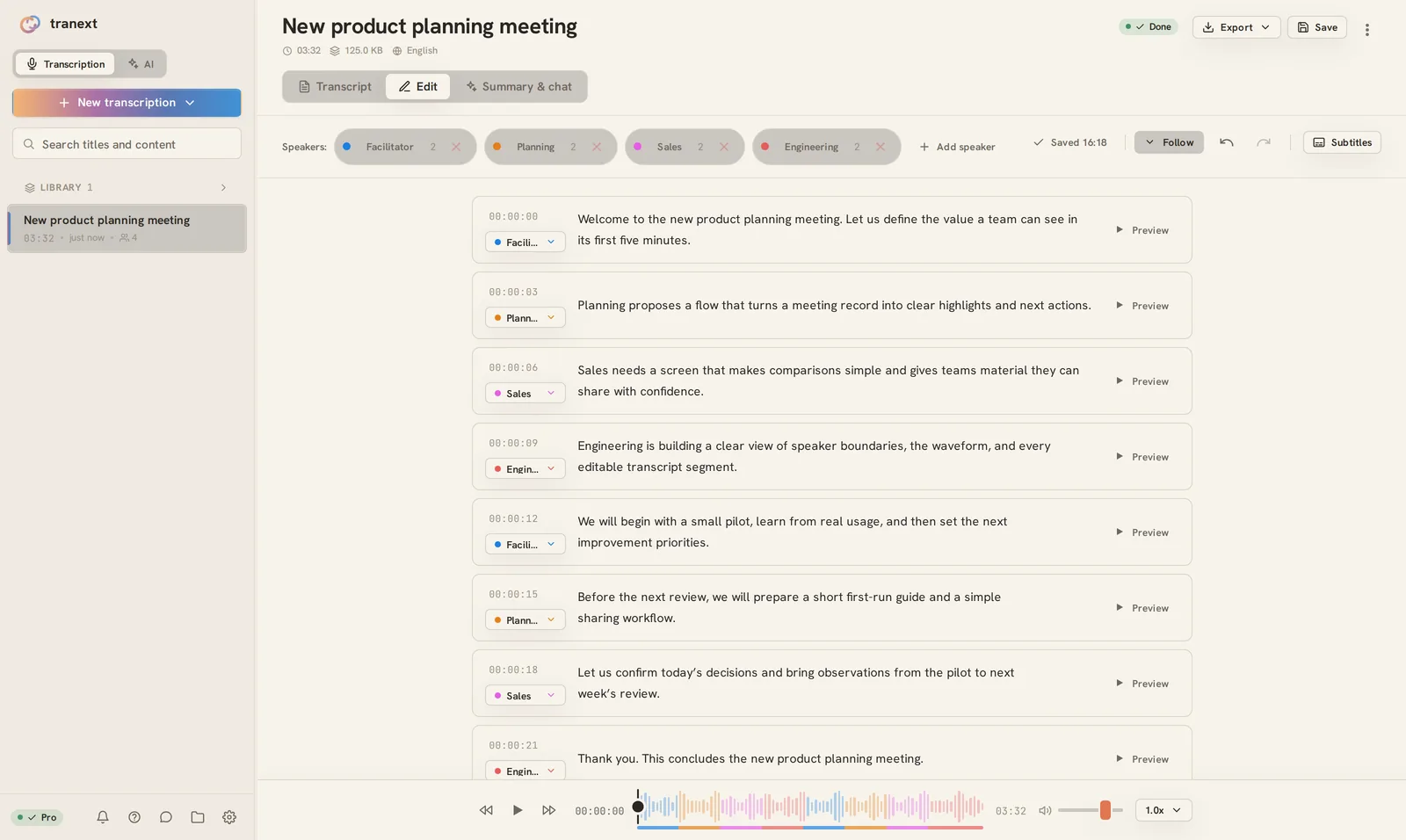
Create meeting minutes
Create reports and slides from meeting minutes (Pro)
Keep audio off third-party services
Use it when you need it, without a monthly fee
Record from a microphone, import audio or video, transcribe, edit, and export in one app.
Export transcripts in nine formats, including SRT, VTT, and TXT.
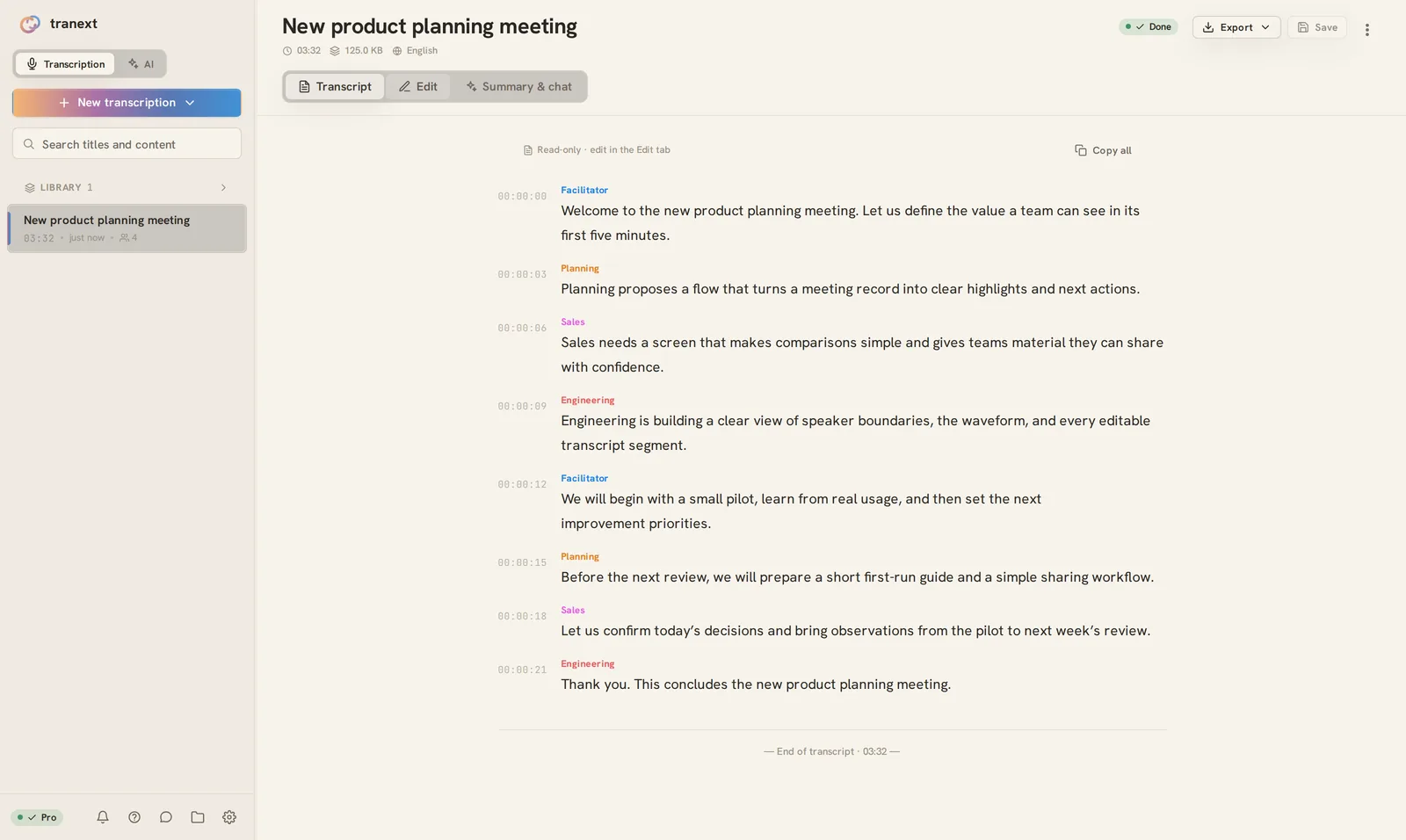
On Pro, color-coded speakers (up to 4) make each line easy to follow.
On Pro, AI reads your transcript and can carry the work through to summaries and documents. Ordinary AI processing runs on your computer.
AI reads and summarizes the transcript, then answers questions about it.
Create Word, Excel, PowerPoint, and PDF files, as well as spreadsheets and charts.
Start a separate AI task, send follow-up instructions, and check its progress.
Search providers are contacted only when web search is enabled in settings.
Audio from meetings and interviews can contain things you do not want to send elsewhere. tranext handles transcription, speaker separation, and AI summaries or questions on your computer. Your audio, transcript text, and conversations with the AI are not sent to our studio.
Transcription and AI, right on your computer.
It connects when activating a license, checking for updates, obtaining models, importing from YouTube, or using web search that you have enabled.
Use it when you need it, as much as you need.
Record, transcribe, edit, and export.
Pricing will be published on this page at launch
Everything in Standard, plus AI, speaker separation, and more.
Pricing will be published on this page at launch
The 7-day free trial lets you try the features available in Pro.
One-time purchase. There is no monthly fee.
tranext is made by Studio Sadola, an independent studio in Japan.
About Studio SadolaBefore you buy
The points people most often check before buying.
Recorded audio, transcript text, and ordinary conversations with the AI on Pro are processed on your computer and are not sent to our studio. The situations that require a connection are summarized below under "Do I need an internet connection?" and in tranext's privacy details.
External connections occur for license activation; starting a trial; fetching the model catalog; checking for and downloading engine updates; checking for and downloading app updates; searching for and downloading AI models; importing from YouTube on Pro when requested; and AI web search. The model catalog is fetched at startup and every 24 hours and cannot be disabled in normal settings. Engine updates run automatically at startup by default and can be disabled in settings. App update checks run at startup and can be disabled; downloads run when requested. AI model search sends the query to Hugging Face. Web search can run when it is enabled in both settings and the current conversation and the AI invokes it; it sends the query and retrieves the text of pages selected by the AI. Once the required engines and models are installed, transcription works offline. On Pro, speaker separation and ordinary AI processing work offline too.
No. On Pro, tranext records the sound playing on your computer directly, so nothing needs to join the meeting as a participant.
It depends on the audio and on how people speak: microphone placement, background noise, and pace all change the result. You can choose High quality, Balanced, or Fast, or select a transcription model directly. The 7-day free trial is there so you can check it on your own recordings.
tranext supports Windows (x64), Linux (x64), and macOS (Apple Silicon). Transcription and AI on Pro use an available GPU automatically, falling back to the CPU when needed. Pro speaker separation uses the GPU through WebGPU and falls back to the CPU when the GPU is unavailable.
Standard covers microphone recording and real-time transcription, importing files, transcription, editing, and exporting. Pro adds recording and real-time transcription of computer audio, per-process capture from a specific app, speaker separation, AI conversations and presets, AI document creation, adding a subtitle track to video, and importing from HTTPS YouTube URLs. Subtitle files can be exported on every plan.
Release Updates
We will email you the release date, pricing, and early announcements.